
Tool Guide & Troubleshooting
Your document wasn't translated? Weird backgrounds on images or odd text placement? Find the explanations (and more) below.
Tips for Best Results
- SVG Conversion is Key: The tool works best when it can successfully convert your PDF to an SVG.
- Image Editing: After conversion, you may need to edit the SVG to adjust text and text placement.
- Canva Limitations: While you can try importing your PDF into Canva, the quality after conversion may be poor, and you might encounter issues with black backgrounds in images. Importing SVG files into Canva will result in stand-alone images - not editable documents or editable images. We recommend taking the SVG file and editing it with Lunacy.
Editing Options
Here are your options for editing the translated output:
- Open the PDF in Canva (free account required) or a PDF editor of your choice.
- Open the SVG in Inkscape or Lunacy (both free) or an SVG editor of your choice.
While Canva's intuitive editor is easy to use, importing PDFs might result in poorly rendered text and graphics due to Canva's conversion process. Uploading SVG files won't resolve this; Canva treats them as uneditable images. For best results, do your post-translation editing in an SVG editor.
Troubleshooting
The Translate Tool works by converting your PDF into an SVG format. This allows us to separate the text for translation, identify the images' and captions' locations, and figure out text placement for the translated text. This process has some current limitations.
-
Text Detection Failure: If the text is "part of" an image
(e.g., an image with text baked into the design as opposed to overlaid on the image),
it can't be extracted, thus it can't be translated.
Some decorative fonts (like bubble fonts) may be misidentified as images. Lastly, if your PDF
pages are in portrait orientation but the text is in landscape orientation (or vice versa), then
the Translation Tool will not be able to pick up the text and your document will remain in its
original language.
The fix: Unfotunately, there's not a lot
you can do to fix this - except perhaps get a different version of the PDF file. But we are actively working
on figuring out a fix on our end!
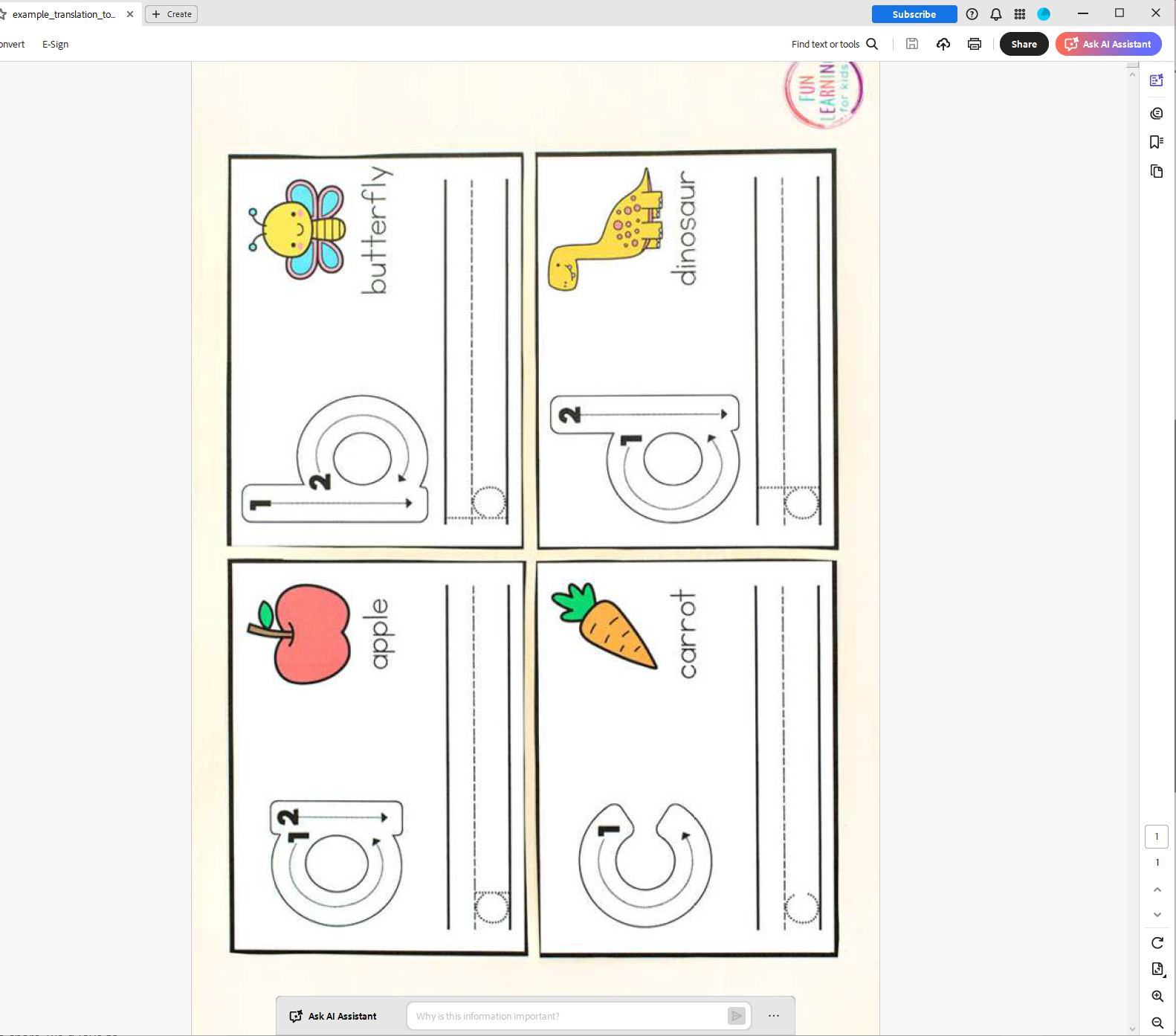 Example of a document that cannot be translated: bubble font letters, text orientation in landscape while page orientation is in portrait.
 - Black backgrounds may appear: Black backgrounds may appear in your images after the translation process, due to the conversion back to PDF. The fix: Edit (and print) the SVG file using an SVG editor like Lunacy.
- You may encounter issues like odd phrasing, and overlapping text. Automated moderation may also affect the translation of certain content. The fix: Edit the PDF file with Canva or Adobe Express.